AI-powered task manager with enforced focus and time tracking
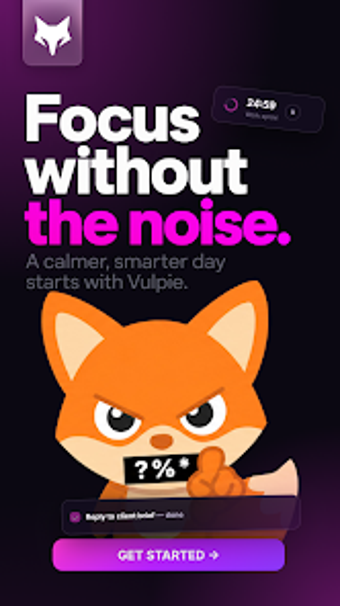
Blocks distractions with an OS-level Super Focus mode and measures planned versus actual time to help complete tasks. Vulpie.AI, created by Touflan Pierre for the business-productivity category, pairs a personality-driven AI mascot with daily planning, Gmail and Google Calendar links, and productivity reports. It targets students and professionals who struggle with procrastination and want stricter session controls plus time-tracking feedback to adjust estimates and habits.
What the app actually does for a workday
Vulpie combines task lists, daily planning, and a conversational assistant that tracks time estimates against real activity. The assistant records planned durations and compares them with measured sessions, producing productivity reports and activity heatmaps that show when work happened. In practice, that creates a loop of planning, timed execution, and post-session insight aimed at helping users refine how long tasks take.
How the core workflow enforces focused sessions
The workflow moves from task creation to a timed focus session and then to review. Users start a session and enable Super Focus or Focus Mode, which on Android uses the Accessibility Service to block selected apps with a focus screen until the session ends. The app logs the session, updates time-vs-estimate metrics, and surfaces the AI mascot's conversational feedback after completion.
Interface, persona, and onboarding friction
The interface centers on the mascot's personality, which provides conversational and occasionally roasting feedback rather than neutral prompts. Onboarding requires granting Accessibility permissions for app blocking on Android, so initial setup includes a permissions step. The conversational tone changes how users interact with tasks, so people who prefer blunt summaries may need an adjustment period to accept the mascot's style.
Compatibility, integrations, and cross-device use
Vulpie supports Gmail and Google Calendar and lists Notion and Asana among integrations, which helps consolidate scheduling and task sources into one workflow. Desktop applications exist for macOS and Windows, so task entries and focus tracking can sync across mobile and desktop. The app states that app blocking operates locally and does not transmit blocked-app lists, which addresses privacy for the Accessibility-based feature.
Who should adopt Vulpie and where it may fall short
Vulpie suits students and professionals who want enforced focus sessions plus behavioral feedback from a personality-driven assistant; it rewards regular use and honest time estimates. Those who prefer silent, minimal interfaces or who decline Accessibility permission for app blocking may not get the app's core enforcement benefit. For users willing to accept a more intrusive setup and playful coaching, Vulpie offers a focused, feedback-driven workflow.